

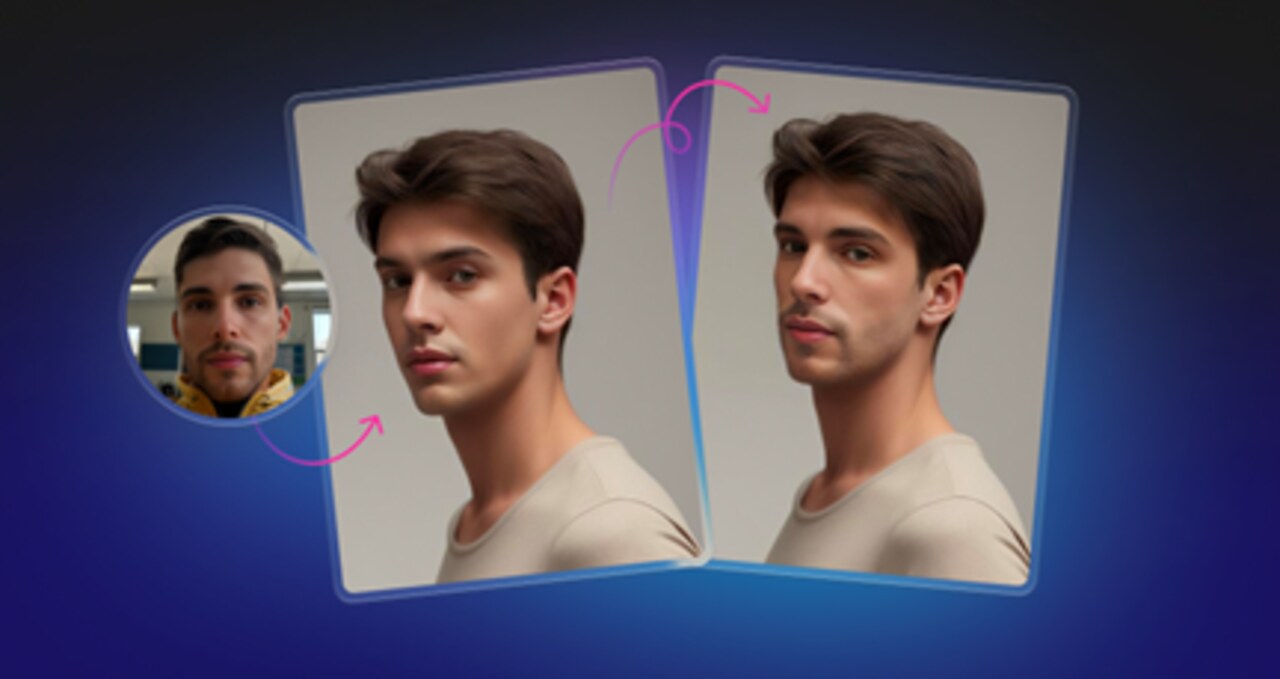

The conversation around AI image manipulation usually swings between two extremes: deepfake panic and viral meme generation. For professional designers, marketers, and content managers, the reality lies in the boring middle. We aren’t trying to create political disinformation. We aren’t interested in pasting Nicolas Cage’s face onto a cat.
The real question is about utility. How can tools like Face Swapper be used responsibly in actual workflows without crossing ethical lines or sacrificing quality?
Face Swapper by Icons8 positions itself not as a toy, but as a production utility. It targets higher resolution outputs than typical mobile apps and focuses on blending identities rather than performing crude cut-and-paste jobs.
Scenario: Localizing Marketing Assets on a Budget
Managing global marketing campaigns introduces a specific kind of friction: asset localization. You might have a perfect lifestyle shot of a team collaborating. The lighting is on brand. The composition works. But the demographic makeup of the models doesn’t reflect the target audience in Southeast Asia or Eastern Europe.
Reshooting is expensive. Buying new stock photos often results in disjointed visual branding.
Here is how a marketing manager solves this without leaving their desk:
- Pick the Hero: The manager selects the high-performing image currently used in the North American campaign. Everything works except the specific faces.
- Source the Target: Using photos of real people introduces consent issues. Instead, the manager generates synthetic faces using a separate AI generator or selects from Face Swapper’s library. This ensures no real person’s identity is misappropriated.
- Execute the Swap: Drag the hero image into the browser tool. Select the target face. Let the processor run.
- Review and Refine: The tool generates a face that sits “in between” the source and the target. It keeps the original lighting and angle but applies the new features. If the result looks slightly uncanny, simply try a different target face with a head shape closer to the original model.
- Final Export: The image downloads at 1024px. For a web banner, this resolution suffices. The manager now has a localized asset that maintains strict visual consistency with global brand guidelines.
Scenario: Anonymizing Sensitive Corporate Case Studies
Designers face a dilemma when creating case studies for internal training or public reports. You have photos of real employees or clients in a working environment. These shots add authenticity that stock photography lacks. But privacy policies or a lack of signed model releases prevent you from showing their faces.
Blurring faces looks criminal. Black bars look redacted.
Face Swapper offers a “soft anonymity” approach:
- Upload the Candid Shot: Take the photo of the workshop session. The body language is authentic, but the identities are a liability.
- Select Generic Avatars: Choose a set of diverse, AI-generated faces. Match the general age and gender of the original subjects to preserve the context.
- Batch Process: For a slide deck, process several images at once. The tool handles the swap, replacing specific identities with generated ones.
- The Result: The final image shows “people” who do not exist. The scene remains human and relatable. The viewer focuses on the action, not the alteration.
A Tuesday Afternoon: Fixing the “Blink”
It’s 2:00 PM. A client sends over a group photo intended for their “About Us” page. It is the only shot they have where the CEO looks relaxed.
Unfortunately, the VP of Operations in the back row blinked.
I open the file. It’s a decent JPEG, under 5 MB. I crop in slightly to check the resolution. The VP’s face is clear enough, just eyes closed.
I open Face Swapper in my browser. I drag the group photo into the upload zone. The system detects multiple faces. I click the specific face of the VP.
Now I need a source. I ask the client for any other photo of the VP. They send a LinkedIn headshot. It’s a different angle-front-facing versus the slightly angled group shot. I upload the LinkedIn headshot anyway.
I hit the button. Processing takes a moment.
The result pops up. The AI has mapped the open eyes and expression from the headshot onto the head in the group photo. It handled the angle difference surprisingly well. Crucially, the skin tone matches the lighting of the group shot, not the studio lighting of the headshot.
I download the result. The face is 1024×1024, plenty for the web. I drop it back into my layout. Five minutes of work saved a photo that was otherwise unusable.
Comparing the Options
When you need to swap a face, you generally have three paths.
Manual Compositing (Photoshop)
The traditional route. You mask the face, adjust curves, color match, and warp features to fit the head.
- Pros: Ultimate control. You decide exactly how light wraps around the nose.
- Cons: Extremely time-consuming. Requires high technical skill.
Face Swapper
The automated middle ground. This is a face swap ai solution targeting professional quality.
- Pros: Handles lighting and skin tone matching automatically. High resolution (1024px) compared to mobile apps. No software installation needed.
- Cons: Less granular control than Photoshop. You cannot manually tweak the “strength” of the swap.
Mobile Apps (Reface, etc.)
Built for entertainment.
- Pros: Fun, fast, often include video animation.
- Cons: Usually low resolution, heavily watermarked, and privacy policies regarding biometric data can be questionable. Not suitable for commercial work.
Limitations and When to Avoid
This technology is not magic. Specific technical constraints dictate the quality of the result.
The 3/4 Angle Struggle
Documentation notes that the AI works best with front-facing to side portraits. It struggles with the 3/4 head position. If the source face looks straight at the camera and the target head tilts sharply up and to the left, the AI has to “invent” geometry. The result often looks warped or flat.
Obstructions are Kryptonite
The algorithm relies on identifying facial landmarks: eyes, nose, mouth, jawline. If a subject has a hand over their mouth or wears a heavy mask, the swap will likely fail. Thick glasses or heavy beards can also confuse the blending process, resulting in a “floating” look where frames don’t sit right on the new nose.
The “Uncanny Valley”
Since the tool generates a face “in between” the source and target, the result is a hybrid. Swapping a very round face onto a very narrow skull forces the AI to compromise. Sometimes this looks natural. Other times, it looks like a person wearing a hyper-realistic rubber mask.
Practical Tips for Best Results
The Skin Beautifier Hack
Upload the same photo as both the source and the target. The AI processes the face, re-generating the features. This often results in a subtle smoothing effect, removing blemishes and evening out skin tone without the plastic look of standard beauty filters.
Resolution Management
Output is capped at the source size or 1024px. For large print posters, run the output through an upscaler (like the Smart Upscaler integrated into the platform) to get it print-ready. Do not expect raw output to hold up on a billboard.
Privacy Hygiene
For sensitive projects, use the history management features. The platform stores images securely and deletes them after a set period, but you can manually clear history immediately after downloading. Make this a habit for agency workflows dealing with client assets.
Batch Processing for Groups
The multiswap feature handles group photos in one go. You don’t need to re-upload the photo for every single person. Just watch out for performance degradation with very large batches; break massive crowds into smaller sections.
Treat Face Swapper as a specific utility rather than a magic wand. It solves genuine visual problems-from saving a blinking photo to localizing a global campaign-efficiently and responsibly.
