


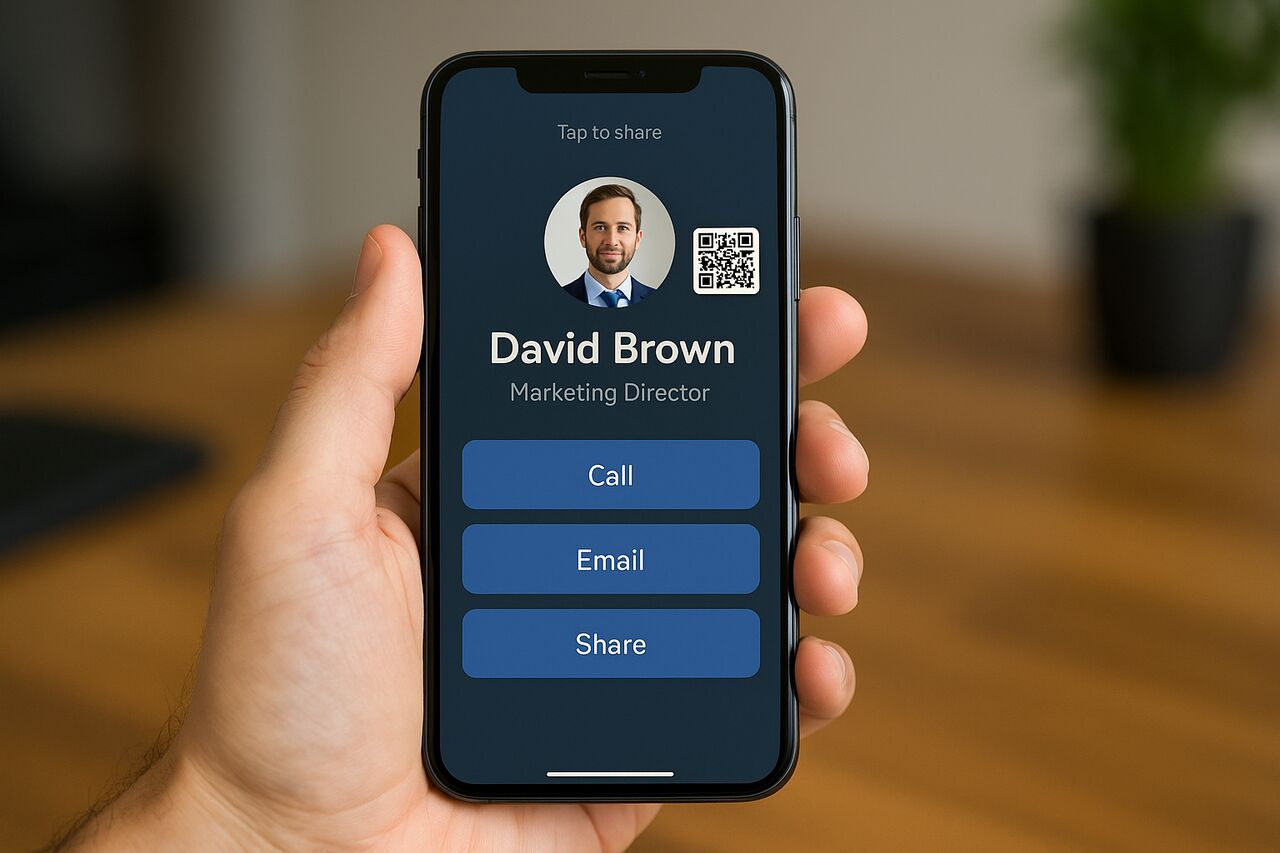


Digital business cards have become a core part of modern networking because they solve the limitations of traditional printed cards. They allow professionals to store contact information online, share it instantly, and update it without reprinting anything. As virtual meetings, remote work and international collaboration continue to expand, these cards create a flexible system for exchanging contact details anywhere. Their blend of convenience, sustainability and integration capabilities makes them an essential tool for 2025.
Understand How a Digital Business Card Works
A digital business card operates as a web-based or app-based profile that stores your name, title, company, phone number, email address and social or professional links. When someone scans the QR code, taps your NFC card or clicks your shareable URL, they see your profile and can save your details to their own device. This instantly eliminates the need for physical card distribution. The card also updates automatically when you modify your information, so your contacts always see your latest details.
Most platforms rely on several technologies that handle the sharing process. QR codes let users scan your card with any smartphone camera, while NFC tags use short-range wireless transmission to pass your information with a simple tap. A web link acts as a universal alternative for users who prefer sending the card through text, email or social messaging apps. Many systems generate a vCard file, which lets recipients save your information directly to their phone’s address book.
These cards operate consistently across iPhone, Android, tablets and desktop browsers, making them far more flexible than traditional cards. You can use them at conferences, virtual events or during remote meetings. They also work well in sales settings, because team members can share branded cards while management tracks engagement, updates details centrally and measures outreach performance.
How the Underlying Technologies Enable Instant Sharing
QR codes convert your contact information or profile link into a scannable graphic. Any smartphone can read it, making the method universally accessible. NFC uses a small chip embedded inside a card, sticker or phone accessory to transmit the URL when tapped against a compatible device. A simple shareable link works everywhere: messaging apps, email signatures, social profiles and website footers.
Sharing remains smooth because each approach bridges a different scenario. QR works best at crowded events, NFC is ideal for fast one-to-one sharing, and URL links enable remote distribution. Together these methods ensure the card remains functional even when Wi-Fi or device compatibility varies.
How to Share Across Different Platforms
Cross-platform sharing depends on the recipient’s device. iPhones support QR scanning natively and have NFC enabled by default. Android users have built-in QR and NFC features as well. If someone cannot scan or tap, a simple link copy works for any device with a browser. Most platforms also provide a button that exports the card as a vCard file, which recipients can download into their contacts app in seconds.
This flexibility ensures no one is excluded during networking. Conferences, trade shows, remote interviews, and online meetings all benefit because the card adapts to whichever device or connection the recipient uses. In 2025, this versatility makes digital cards far more dependable than physical ones.
Compare the Value of Digital Cards Over Paper Cards
Digital business cards provide a reliable alternative to traditional paper cards because they reduce printing expenses, eliminate waste and offer ongoing updateability. When you change your phone number, job title or brand assets, you can update them instantly without reprinting stacks of cards. Recipients always get your most accurate details, which reduces confusion and follow-up errors.
Their environmental value is substantial. Printed cards often end up discarded, creating unnecessary paper waste and carbon emissions from the production process. A digital card replaces thousands of physical cards over time, especially for sales teams, recruiters and event participants who typically distribute large quantities every year. The shift reduces both cost and environmental footprint.
Beyond sustainability, digital cards streamline professional interaction. They enable analytics that track QR scans, profile views and saved contacts, giving sales and marketing teams visibility into networking performance. This data helps measure actual engagement rather than relying on guesswork. Physical cards cannot track outcomes, which limits their usefulness for long-term contact management.
Evaluate Environmental and Financial Savings
Digital cards remove printing, shipping, and re-ordering costs. For individuals, this eliminates repeat purchases, while for companies it cuts thousands of dollars in annual stationery spending. Environmentally, they avoid the paper waste produced by mass-printed business cards that are rarely used fully. Many organizations adopt them as part of broader sustainability initiatives, aligning with eco-friendly business goals.
Improve Convenience, Updateability and Tracking
Digital cards centralize your information in one place. When you update your details, every recipient sees the new version instantly. Many systems include integration with CRM platforms so leads flow directly into the company’s pipeline. Analytics and engagement tracking show which contacts view your card and when they interact with it. This offers value far beyond what physical cards can provide.
Identify Essential Features for High-Quality Digital Business Cards
When evaluating the best digital business cards, prioritize features that improve sharing, customization and data management. The most important include QR code support, NFC compatibility, shareable URLs, branding tools, analytics, CRM integration and privacy controls. These features determine how easily your card is shared, how professional it looks and how effectively your team can use it for business growth.
Sharing options differ in speed and reliability. QR codes are universal, NFC taps offer rapid in-person sharing, and links cover remote conversations. A good card offers all three. Customization features allow you to control layouts, colors, logos, fonts and backgrounds to match your personal or company brand. CRM integration is essential for sales and recruiting teams that want to capture leads automatically.
Security should not be overlooked. Strong platforms offer data encryption, password protection, profile visibility settings, and link access controls. They also comply with data-protection policies, ensuring your contact details remain secure while still being easy to share.
Compare QR, NFC and URL Sharing Options
Each sharing method serves a different use case. QR codes excel at events or presentations, NFC works best during quick interactions and URLs support remote communication. Some platforms also offer NFC-enabled physical cards that trigger the digital profile, making them a hybrid between tech and classic form factor. This ensures your card always functions even when a recipient prefers one method over another.
Evaluate CRM Integration, Analytics and Social Links
CRM integration links your card to business tools such as Salesforce, HubSpot or Zoho. Analytics track engagement events like scans or profile views. Social profile linking gives recipients a central hub to access your LinkedIn, portfolio, website or booking page. These features make the card more than a digital replacement; they create a full networking system.
Prioritize Security and Privacy Features
Essential protections include encrypted URLs, privacy settings that control who sees your card, and options to remove or deactivate links. Some services add verification steps or let you hide sensitive fields unless a recipient requests access. These safeguards protect your contact information when networking publicly.
Compare the Top Digital Business Card Platforms for 2025
Several services dominate the digital card market: CamCard, Popl, HiHello, Mobilo and Linq. Each offers unique strengths in usability, customization, team management and pricing. Choosing the right one depends on your goals, whether you need an individual solution or a company-wide deployment.
CamCard remains a strong option for its OCR scanning capability, making it easy to digitize printed cards and store them in a central vault. Popl emphasizes NFC accessories, including plastic, metal and custom-branded cards that trigger your profile instantly. HiHello focuses on clean design, strong customization and enterprise-grade features. Mobilo stands out for its automation and smart team tools, while Linq offers robust branding and hardware options.
Feature Comparison Table
| Provider | QR | NFC | CRM Integration | Analytics | vCard Export | Team Tools |
|---|---|---|---|---|---|---|
| CamCard | Yes | Limited | Yes | Yes | Yes | Yes |
| Popl | Yes | Strong | Yes | Yes | Yes | Strong |
| HiHello | Yes | Optional | Yes | Yes | Yes | Enterprise |
| Mobilo | Yes | Strong | Yes | Strong | Yes | Advanced |
| Linq | Yes | Strong | Yes | Yes | Yes | Strong |
Best Options for Freelancers, Small Businesses and Enterprises
Freelancers benefit from platforms with generous free plans and strong branding tools, such as HiHello or Linq. Small businesses value platforms with CRM integration and analytics, making Popl and Mobilo ideal. Large enterprises require centralized admin controls, bulk provisioning and security settings, which HiHello Enterprise and Mobilo Teams provide effectively.
Choose the Right Digital Business Card for Your Needs
Selecting the right card depends on how you network, the devices you use and your goals. If you attend many conferences, QR codes and NFC cards ensure quick sharing. Remote professionals benefit from URL-based sharing and calendar integration. Sales teams require CRM synchronization and analytics to measure performance. Recruiters need contact capture tools for candidate follow-up.
International networking requires multi-language support and devices that operate across various regions. Some platforms let you create multiple profiles, which helps separate personal, regional or industry-specific details. If you manage a company-wide rollout, prioritize tools with admin dashboards, security controls, and the ability to update all employee cards automatically.
Considerations for International Networking
Cross-border networking demands compatibility with different device types, languages and formats. Ensure the provider supports universal QR standards, browser-based viewing and easy vCard downloads. Some regions have limited NFC access or device restrictions, so having multiple sharing methods ensures consistent performance.
Considerations for Team or Company-Wide Deployment
Centralized management allows administrators to update employee details, adjust branding and monitor usage metrics. Team plans also provide role-based access, bulk card creation and advanced security settings. These features improve consistency across the organization and support uniform branding.
Create and Share Your Digital Business Card Step by Step
Setting up a digital card begins with creating an account on your chosen platform. You enter your name, title, phone number, email, company name and brand details. Then you customize your layout, colors, images and social links. Once complete, the system generates your QR code, shareable link and optional NFC card.
To share your card, open your profile and display the QR code, tap your NFC card if you have one, or send the link via text, email or messaging apps. Many platforms let you embed the link in your email signature or add it to social profiles. This ensures your card is always accessible.
Exporting your contacts is equally important. vCard files allow you to save or share your card in a universal format. CRM integrations push leads into your database automatically. These workflows reduce manual data entry and save time for busy professionals.
Common Setup Steps
Most platforms follow a similar process: create your profile, upload your photo or logo, customize your theme, and then generate your QR or NFC options. The card becomes active immediately and can be shared across any device.
Exporting and Importing Contacts
You can import existing contacts into many platforms or export new connections as vCard files. This gives you full control over your data and ensures portability across different apps or CRM systems.
Understand the Limitations and Drawbacks of Digital Cards
Digital business cards offer many benefits but also face limitations. Privacy remains a top concern because sharing contact details online introduces potential exposure. Some platforms store your data on cloud servers, which requires careful evaluation of security policies. Limited offline access can also be challenging in environments without reliable connectivity.
Compatibility also varies. Although most modern smartphones support QR and NFC, older devices may struggle. Some recipients may not feel comfortable scanning codes or tapping unfamiliar cards. In those cases, text-based link sharing becomes a necessary fallback.
Review Security and Privacy Concerns
Security risks include unauthorized access to your profile, phishing links and unwanted data collection. Reputable platforms provide encryption, privacy settings and content controls to protect your information. Always check how the provider handles data retention, deletion and sharing policies.
Address Situations Where Recipients Lack Compatible Devices
If the recipient does not have a smartphone or if their device does not support NFC or QR scanning, you can send your link through email or text. Paper cards or hybrid NFC cards can also act as a secondary method when technology is unavailable.
Explore Future Trends in Digital Networking and Contact Sharing
Digital business cards will continue evolving in 2025 and beyond. They are likely to integrate with augmented reality platforms, virtual events and immersive environments. This will allow professionals to exchange contact details inside virtual meeting spaces without traditional interaction barriers.
Another major trend is decentralized identity systems. Blockchain-based identifiers may enable more secure and self-owned contact sharing, reducing reliance on proprietary platforms. Digital wallets may also store business card profiles, making them instantly shareable alongside payment and identity credentials.
Integration with Virtual and Immersive Networking Spaces
Virtual conferences and online events are becoming standard. Digital cards allow participants to exchange information within chat systems, avatars or AR overlays. This improves engagement in remote environments and expands global networking opportunities.
Influence of Blockchain and Decentralized Identity
Blockchain technologies may enhance privacy by letting users control exactly what information they share and revoke access at any time. Future digital cards may include verifiable credentials, ensuring authenticity while reducing the risk of fraud.
Conclusion
Digital business cards have become an indispensable networking tool for 2025. They provide fast, contactless sharing, customizable branding, analytics, CRM integration and long-term cost savings. Their ability to update in real time, function across devices and reduce paper waste makes them a smarter alternative to traditional printed cards. Whether you are a freelancer, business owner or enterprise team leader, the right digital card enhances your professional presence and simplifies every interaction. By selecting a platform with strong sharing options, robust privacy controls and flexible customization, you ensure your networking remains efficient, scalable and future-ready. For more informative articles related to Business’s you can visit Business Category of our Blog.
FAQs
A digital business card is an online profile that stores your contact information and can be shared via QR code, NFC tap or link. Unlike paper cards, it updates instantly, integrates with apps and eliminates printing waste.
You can share it by displaying your QR code, tapping an NFC accessory or sending your unique link. QR codes are the most universal method, while URLs work for remote networking.
Most reputable platforms protect information with encryption, privacy settings and secure cloud storage. Reviewing a provider’s data policy ensures additional safety.
Yes. They work especially well at conferences and trade shows because they are faster to share, do not run out and provide analytics that track engagement.
Top choices include CamCard, Popl, HiHello, Mobilo and Linq. Each offers strong features for different user needs.
Many offer free plans with upgrades available for branding, analytics and team management. Paid tiers usually range from a few dollars per month to enterprise-level packages.
You can send your card link via email or text. Many platforms also allow printable QR versions or hybrid NFC cards as backup options.
Expect deeper integration with virtual events, AR environments, digital wallets and decentralized identity systems, which will expand how contact details are exchanged and stored.


