


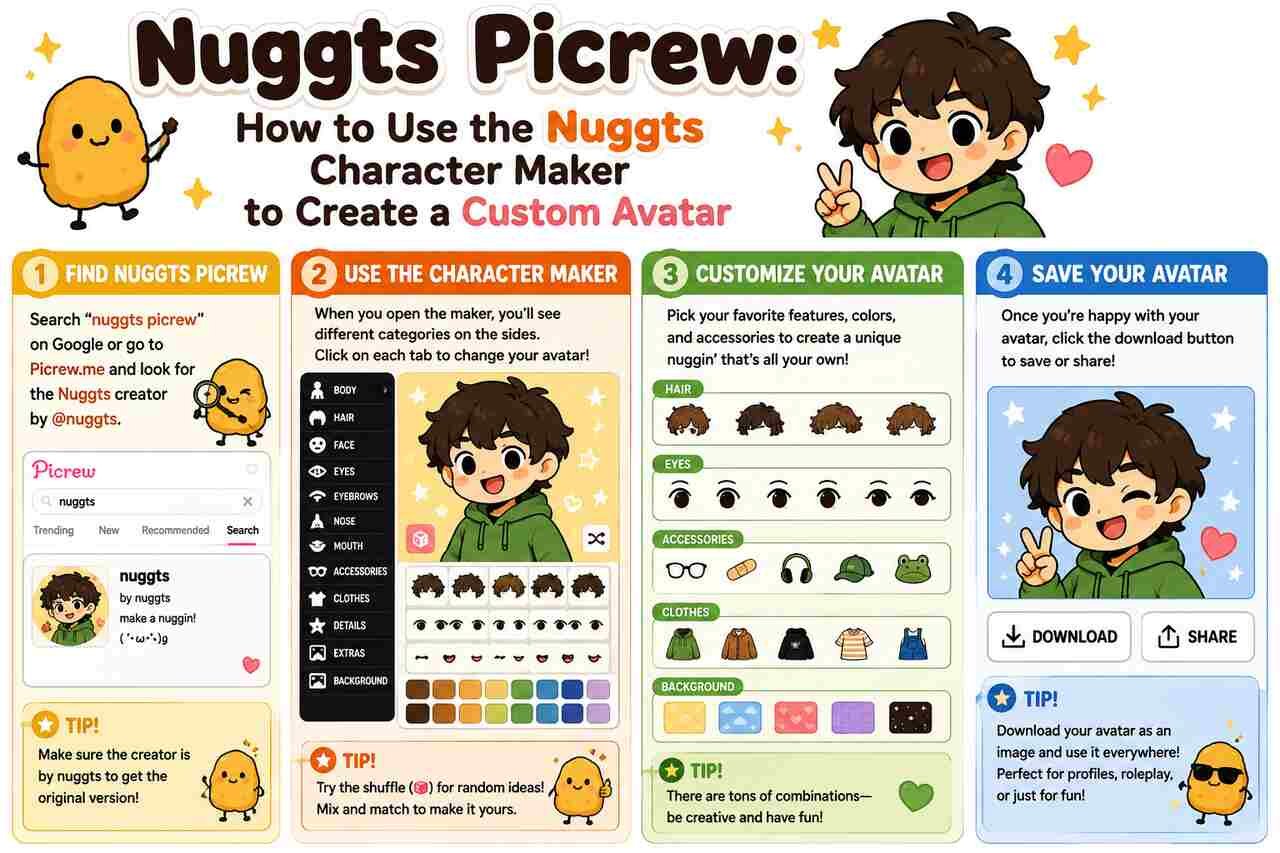


Nuggts Picrew, more accurately known as Nuggts character maker!, is a popular character creator associated with the artist chicken.nuggts and hosted through the Picrew character-making platform. The maker became especially recognizable for its expressive hand-drawn portraits, alternative fashion, detailed facial customization, accessories, and distinctive sketch-like backgrounds. Picrew’s own popularity rankings placed Nuggts character maker among its most-played image makers, including No. 5 for 2023 and No. 2 for the first half of 2024.
For people searching for “Nuggts Picrew,” the main goal is usually simple: find the character maker, understand how it works, and create a personalized avatar for a profile picture, original character, or social post. This guide covers the complete process, from choosing a base appearance to saving and using a finished Nuggts-style character while respecting the creator’s usage conditions.
Find the Nuggts Character Maker on Picrew
Start by looking for the exact title “Nuggts character maker!” rather than relying only on searches for “Nuggts Picrew.” The official Picrew blog identifies the maker under that title and credits chicken.nuggts as its creator. This distinction matters because searches for Nuggts, Nuggets Picrew, Nugget Picrew, and similar spellings can lead to reposted character images instead of the actual image maker.
The unusual spelling is particularly important. The name used in Picrew’s official popularity rankings is Nuggts, without the second “e” found in “Nuggets.” Search engines and social platforms frequently display both versions because users naturally search for “Nuggets Picrew” as well. Using the original spelling with the phrase “character maker” generally makes the intended creator easier to distinguish.
Picrew also notes that image makers can change after publication or become unavailable. Items, settings, and public availability are controlled by individual creators, so an old shared link or screenshot does not necessarily represent the maker’s current condition. If a direct link stops working, searching the maker’s exact title and creator name is preferable to assuming that a third-party recreation is the same tool.
| Search term | Likely intent | Best approach |
|---|---|---|
| Nuggts Picrew | Find the original maker | Search “Nuggts character maker!” |
| Nuggts character maker | Open the character creator | Look for the chicken.nuggts maker |
| Nuggets Picrew | Find avatars or the maker | Correct the spelling to “Nuggts” if necessary |
| Nuggts Picrew link | Access the original tool | Prefer Picrew-hosted results |
| Nuggts avatar | Find examples or inspiration | Check completed characters before designing |
| Nuggts Picrew trend | Recreate a social-media trend | Create characters and follow the trend’s format |
The distinction between the original maker and community content is useful because Nuggts creations have circulated widely beyond Picrew. Reddit posts, Pinterest pins, and short-form videos have all referenced the maker. The surrounding community therefore contains plenty of visual inspiration, but the maker itself remains the appropriate starting point for creating a new character.
Choose a Base Appearance for Your Nuggts Picrew Character
Begin the actual design by deciding what the character should communicate visually. You can recreate yourself, design an original character, represent an imagined version of yourself, or simply experiment with combinations that look appealing. The Nuggts style works particularly well for portrait-based characters because facial features, hair, clothing, and accessories collectively establish a recognizable personality.
Treat the face as the visual foundation. Choose the available complexion and facial options that most closely fit the character you want to build, then add distinguishing details. Examples of Nuggts creations shared online show features such as freckles, glasses, piercings, masks, makeup-like details, and different hairstyles. The combination matters more than any individual selection because several small details can dramatically alter the finished portrait.
It can also help to decide on a visual concept before selecting dozens of options. For example, an original character might use a dark jacket, messy hair, facial piercings, and muted colors to establish an alternative aesthetic. Another design could combine softer hair, glasses, light accessories, and brighter details. Making this decision early creates consistency as you progress through the maker.
Customize the Hair and Facial Details
Choose hair that establishes the silhouette of the character before adding smaller decorative elements. Hair occupies a large portion of a portrait, making its shape and color some of the strongest visual signals in the final image. Nuggts Picrew examples shared by users show substantial variation, including short cuts, long hair, curls, layered styles, bangs, and alternative-looking hairstyles.
Next, coordinate the eyes, brows, mouth, and other facial details. A character with wide eyes and a broad smile communicates something very different from one with narrowed eyes and a restrained expression. When several facial options are available, test combinations instead of automatically selecting each feature in isolation. The goal is for the entire expression to feel coherent.
Finally, use details such as freckles, glasses, piercings, bandages, or other available decorations to distinguish the portrait. These smaller components are especially valuable when creating an original character because they make the design easier to recognize later. However, excessive decoration can compete with the face, so prioritize details that support the overall appearance.
Coordinate Clothing and Accessories
Select clothing after the face and hair are established. Clothing gives the character a clearer visual identity and helps determine whether the final avatar appears casual, alternative, playful, dark, or expressive. Shared Nuggts creations frequently feature layered tops, jackets, hoodies, dark clothing, and graphic elements, although available choices can change if the creator updates the maker.
Accessories should complement rather than obscure the core design. Glasses can emphasize the face, earrings and piercings can introduce small focal points, while hats or head accessories can change the character’s silhouette. Hand poses and decorative foreground elements, where available, can make an otherwise simple portrait appear much more dynamic.
Color coordination is equally important. If a character has strongly colored hair, neutral clothing can prevent the image from becoming visually crowded. Conversely, a simple hairstyle can support brighter clothing or accessories. Repeating one accent color in two or three locations is an easy way to make the finished Nuggts Picrew avatar appear more cohesive.
Adjust the Pose and Decorative Elements
Use available pose options to strengthen the character’s personality. Some of the most recognizable Nuggts character images feature visible hands, gestures, or expressive positioning rather than presenting only a static face. A gesture can introduce energy and provide another way to differentiate one character from another.
Decorative elements can then reinforce the composition. Stars, hearts, drawn marks, horns, cat-like details, or other available components can frame the character and fill empty areas without requiring a completely different background. The key is to maintain a hierarchy in which the face remains the primary focal point.
Background choices provide the final layer of the composition. Many recognizable examples of the Nuggts style use subdued, sketch-filled surroundings that contrast with the stronger outlines of the character. Because backgrounds influence the apparent color of hair and clothing, revisit your earlier selections after changing the backdrop.
Preview the Character Before Finishing the Design
Review the entire avatar rather than focusing on whichever category you edited most recently. Check whether the hairstyle overlaps awkwardly with accessories, whether glasses work with the eyes, whether clothing competes with foreground elements, and whether the background provides sufficient contrast.
The preview stage is also the best time to simplify the design. Removing one unnecessary accessory can sometimes make an avatar stronger because the most important features become easier to see. This is particularly relevant when the finished image will be displayed as a small social-media profile picture.
If you are making an original character, consider whether someone could identify the character from two or three recurring features. A memorable hair shape, a specific color combination, and a signature accessory can provide more consistency than a large collection of unrelated details.
Save Your Finished Nuggts Picrew Avatar
Complete the character once you are satisfied with the selected features and use Picrew’s available completion or image-saving process. Historical captures of Nuggts character maker output show Picrew presenting the completed picture along with options associated with creating another image and sharing the result.
Before leaving the maker, check the creator’s current usage information. Picrew specifically advises users to read each image maker’s description because availability, items, and settings can change. The creator’s displayed conditions should therefore take precedence over assumptions based on other Picrew makers.
Keeping a record of the maker’s title is also useful. If you later post several avatars or want to create another version of the same character, knowing that the tool is called Nuggts character maker! makes it much easier to locate the correct creator again.
Credit the Nuggts Creator When Sharing Your Avatar
Check the maker’s current terms before posting an avatar publicly. Archived references associated with Nuggts creations indicate that users have been instructed to provide credit for uses such as profile pictures or videos, while not claiming the artwork as their own. Because creator permissions can change, the current instructions displayed with the maker should be treated as authoritative.
A useful distinction exists between creating a character and creating the underlying artwork. You may decide the character’s hair, facial features, clothes, and accessories, but those selections use illustrated components made by the artist. Crediting the maker therefore acknowledges the source of the artwork without diminishing your role in designing the character combination.
Commercial use requires particular care. Do not assume that permission to use an avatar as a personal profile picture also grants permission to place it on merchandise, branding, paid products, advertisements, or other commercial material. Always follow the usage scope shown on the current maker page.
| Intended use | Recommended action |
|---|---|
| Personal avatar | Check current creator rules and credit requirements |
| Social-media post | Credit the maker when required |
| Video appearance | Follow the creator’s current attribution instructions |
| Original-character reference | Keep the source of the avatar documented |
| Edited version | Confirm whether processing or modification is permitted |
| Commercial project | Verify explicit commercial-use permission first |
This approach is particularly important for Picrew because each image maker can have different conditions. Permission associated with one creator does not automatically apply to another maker on the same platform.
Use Nuggts Picrew for Profile Pictures and Original Characters
Turn the completed portrait into a profile image when the maker’s current permissions allow that use. The bold outlines, centered characters, recognizable hairstyles, and expressive facial details commonly seen in Nuggts creations translate effectively to square avatar formats. Community posts and archived descriptions also show profile-picture use as a common purpose for the maker.
Original-character creation provides another strong use case. Instead of trying to draw a character from scratch, users can test combinations of hairstyles, facial details, clothing, and accessories. This can help establish the broad appearance of a fictional character before commissioning artwork or creating an independent drawing.
Nuggts Picrew can also function as a visual brainstorming tool. A writer might use a character maker to explore how a fictional person looks, while a role-playing player might create a quick representation of a character. In every case, the resulting Picrew image remains subject to the artist’s usage conditions.
Recreate the Nuggts Picrew Trend on Social Media
Create one or more avatars based on the format required by the specific Nuggts Picrew trend you want to follow. The maker gained substantial visibility through social sharing, and videos explicitly referring to the “Nuggts picrew trend” appeared on short-form platforms during its rise in popularity. One January 2024 YouTube Short using that phrase accumulated hundreds of thousands of views according to the indexed video data.
Trend formats can differ. Some users compare different versions of themselves, while others create characters and invite viewers to guess names, personalities, or other fictional details. A December 2024 Reddit post, for example, used the maker for a “how I look vs how I want to look” comparison. Other community posts have used Nuggts characters for naming games and original-character discussions.
When participating, keep the attribution visible where the creator’s rules require it. A trend may encourage remixing a format, but participation in a trend does not remove the original illustrator’s conditions. Following both the social format and the maker’s rules provides a straightforward way to share the result responsibly.
Troubleshoot Missing Nuggts Picrew Links and Options
Search for the exact maker title if an old Nuggts Picrew link no longer works. Picrew’s own blog explicitly warns that featured image makers can later become unavailable or have their items and settings changed. A broken old share link therefore does not necessarily indicate a problem with your device.
If you can open the maker but cannot reproduce an avatar from an old screenshot, the available components may have changed. Creators can update image makers, so a hairstyle, accessory, background, or other option visible in an older community post may not necessarily remain available.
Avoid substituting an unrelated third-party tool simply because it uses “Nuggts” or “Nuggets” in its title. Check the maker name and creator attribution whenever possible. The established Nuggts character maker identified by Picrew’s official rankings is credited to chicken.nuggts.
Explore Other Picrew Makers After Creating Your Nuggts Avatar
Use other Picrew makers when you want a different interpretation of the same character. Recreating one original character through several art styles can help determine which features are essential to the design. Keep the same hair color, facial characteristics, and signature accessory while allowing clothing, pose, and artistic style to vary.
Picrew’s 2024 first-half ranking provides useful examples of other popular makers from the same period. It ranked makowka character maker II first, Nuggts character maker second, followed by Black Centered Picrew <3, something about them, and ♡My💘Babyメーカー♡. These alternatives illustrate how differently character makers can approach portrait design.
The popularity of Nuggts is particularly notable because it persisted across multiple ranking periods. Picrew ranked the maker fifth among its most-played image makers of 2023, then second in its first-half 2024 ranking. That sustained visibility helps explain why searches for Nuggts Picrew continue to surface avatars, trends, Pinterest inspiration, and community discussions.
Conclusion
Nuggts Picrew refers primarily to Nuggts character maker!, the Picrew image maker credited to chicken.nuggts. Its distinctive illustrated portraits, customizable appearance, expressive details, clothing, and accessories made it a prominent choice for avatars and original characters. Picrew’s official rankings confirm its popularity, placing it among the leading makers of both 2023 and the first half of 2024.
To get the best result, locate the correct maker, establish the character’s base appearance, coordinate hair and facial details, add clothing and accessories, preview the complete composition, and then follow the creator’s current rules when saving or sharing it. Since Picrew makers and their permissions can change, always rely on the current maker description rather than an old repost or screenshot.
Frequently Asked Questions
Is Nuggts Picrew the same as Nuggts character maker?
Yes. Searches for Nuggts Picrew commonly refer to Nuggts character maker!, which Picrew’s official blog credits to chicken.nuggts.
Is it spelled Nuggts Picrew or Nuggets Picrew?
The official Picrew ranking uses Nuggts character maker! The spelling “Nuggets Picrew” is also common in searches and community posts, but “Nuggts” is the relevant spelling for locating the identified maker.
Who created Nuggts character maker?
Picrew’s official 2024 popularity ranking credits chicken.nuggts as the creator of Nuggts character maker.
How popular was Nuggts Picrew?
Picrew ranked Nuggts character maker No. 5 among its most-played image makers of 2023 and No. 2 for the first half of 2024.
Can I use a Nuggts Picrew as my profile picture?
Archived descriptions indicate profile-picture use has been permitted with conditions such as credit. However, users should check the maker’s current description because permissions can change.
Why can’t I find an old Nuggts Picrew option?
The maker may have been updated. Picrew notes that creators can change items and settings and that an image maker may eventually stop being publicly available. An old screenshot can therefore contain options that differ from the current version.


