





If you want to make AI videos without jumping between many tools, Videoinu is a good place to start. It gives users one platform for text-to-video, image-to-video, story-based creation, animation, and access to multiple AI models.
New users can also start with 500 free credits, which makes it easier to test the workflow before paying.
What Is Videoinu?

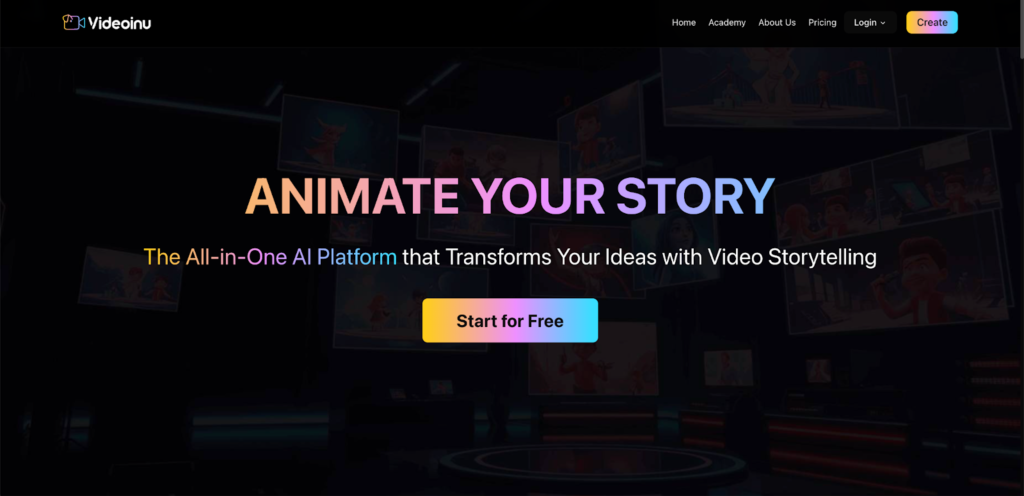
Videoinu is an AI video creation platform built around storytelling and flexible creation workflows. On its official pages, it presents itself as an all-in-one platform for turning ideas into video content, including text-to-video, image-to-video, AI story video generation, and animation workflows. It also emphasizes going beyond very short clips, with support for longer-form video creation.
What makes it appealing is that it does not push users into one single model. Instead, Videoinu brings multiple AI video models into one place, so creators can test different outputs without rebuilding the whole workflow each time. That is useful for beginners who want simplicity and for experienced users who want more control.
Why People Use Videoinu
A lot of AI video tools are good at one thing, but Videoinu is designed more like a practical creation hub. You can start with a short prompt, upload an image, build a story-based video, or try animation styles inside the same broader ecosystem. Its official site also highlights character consistency, story flow, and creator-friendly video generation rather than only one-off clips.
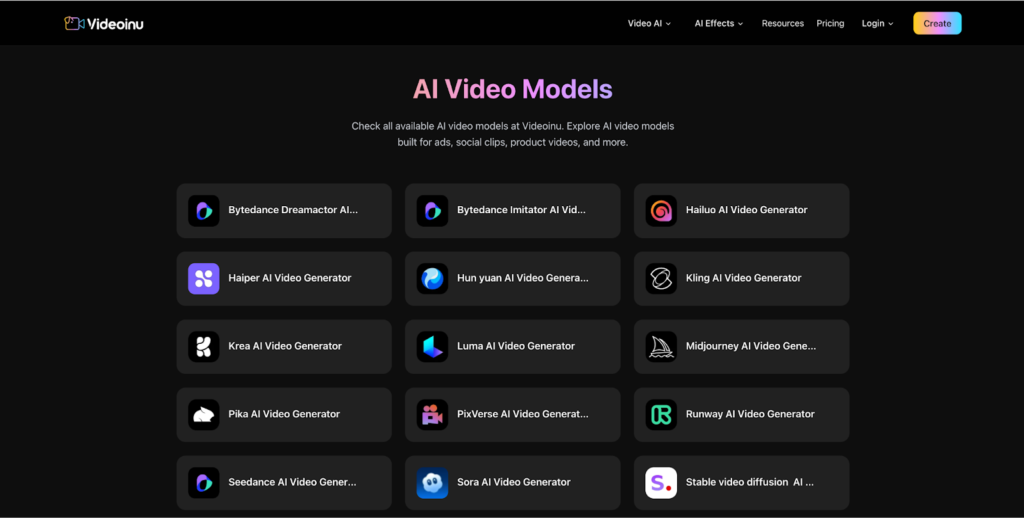
Another reason people use it is model choice. In the middle of one project, you may want a more polished cinematic result for one scene and a different motion style for another. Videoinu’s public model pages show access to a wide range of models, including Veo, Wan, Sora, Pika, Kling, Vidu, Luma, Runway, Seedance, and more

How to Use Videoinu
Step 1: Sign Up and Start with Free Credits
Go to Videoinu and create an account. After signing up, you can enter the main creation workflow and start testing ideas. Videoinu’s homepage and creation pages are built around getting users into AI video generation quickly, and the platform currently offers 500 free credits for new users.
If this is your first time using an AI video tool, do not overthink the setup. The goal at the start is simply to get familiar with how your prompt turns into a video.
Step 2: Choose the Type of Project
Videoinu supports more than one way to create. Its public pages highlight several main workflows, including:
- text to video
- image to video
- AI story video generation
- AI animation generation
If you just want to test an idea fast, start with text to video. If you already have a character, product image, or scene reference, image to video may be a better fit. If your goal is a multi-scene narrative, the story video workflow makes more sense because it is built around sequence and continuity.
Step 3: Pick a Model That Fits Your Goal
One of the practical advantages of Videoinu is that it gives access to multiple model families in one place. The public model pages list options such as Veo, Wan, Sora, Pika, Kling, Vidu, Runway, Luma, Seedance, Stable Video Diffusion, and more.
This is where you can match the model to the kind of video you want. For example, you might want:
- Veo 3.1 for a polished, professional-looking result
- Wan 2.6 for another motion style or comparison
- Sora2 for cinematic testing
- Pika for fast creative experiments
Videoinu’s public pages clearly support those model families, and that makes it easier to compare outputs inside one broader workflow instead of learning a different product each time.
Step 4: Write a Clear Prompt or Upload an Image

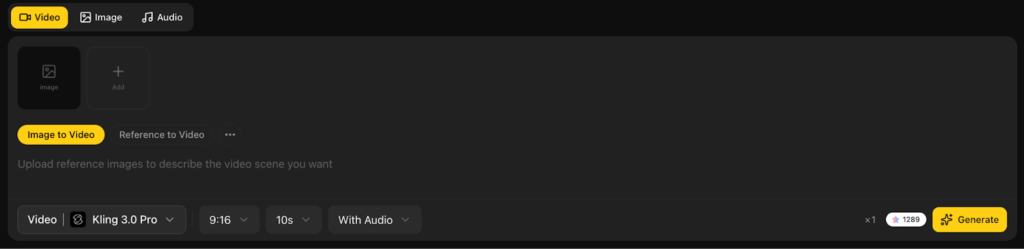
Now give the platform your input. A simple prompt usually works better than a crowded one.
For example:
A girl in a yellow raincoat walks through a quiet street at night, soft reflections on the wet road, cinematic mood.
If you are using image to video, upload a strong reference image and keep the prompt focused on movement, mood, or camera feel. Videoinu’s public workflow pages are built around both text and image inputs, so you can start from whichever format is easier for your idea.
If you are making a story video, think in scenes rather than one giant prompt. The AI Story Video Generator page specifically explains a flow of writing your story or script, defining style and pacing, and then generating the result.
Step 5: Generate, Review, and Improve
Once your prompt or image is ready, generate the video and review the output carefully. The first result is often a draft, not the final version. The best way to use Videoinu is to treat it as an iteration loop: test, review, refine, and try again.
This matters even more when you are comparing models. You might run the same prompt through Veo, Wan, Sora2, and Pika to see which one gives you the motion, structure, or visual tone you want. Since Videoinu is built around multiple AI model options, comparison is one of the platform’s most practical strengths.
Models You Can Explore on Videoinu
One reason Videoinu is useful is that it does not lock you into one generation engine. Based on its public model and workflow pages, some of the models and model families available on the platform include:
- Veo / Veo 3 line
- Wan AI / Wan 2.6 line
- Sora / Sora2
- Pika
- Kling
- Vidu
- Runway
- Luma
- Seedance
That model variety is useful because not every project needs the same visual style. Some users want cinematic scenes, some want animation, and some want faster social-friendly clips. Videoinu’s multi-model setup gives you room to test different directions without leaving the platform.
Tips for Better Results
A few simple habits can help you get more out of Videoinu.
Start with a short prompt. Clear prompts are usually better than overly detailed ones. If the result is close but not right, refine one thing at a time.
Use the right workflow. If your goal is a story, use a story-driven flow instead of treating the whole thing like one short clip. Videoinu’s story pages make clear that sequence and continuity matter in narrative creation.
Compare models when the result feels off. If one model does not give you the style or motion you want, try another. That is one of the biggest advantages of a platform that supports multiple model families.
Do not burn all your credits on complex ideas at the start. Use your free credits to learn how the platform responds, then move into more ambitious scenes once you understand what works.
Final Thoughts
Videoinu is easiest to understand as a flexible AI video workspace. You can start with a prompt or image, choose a workflow that fits your project, and test different models like Veo 3.1, Wan 2.6, Sora2, and Pika in one broader platform setup. That makes it useful for both beginners and creators who want more room to experiment.
FAQs
Videoinu is an AI video creation platform that supports text-to-video, image-to-video, story-driven creation, animation workflows, and multiple AI model families in one place. Its public site positions it as an all-in-one storytelling-focused video platform.
Yes. Videoinu currently offers 500 free credits for new users, which helps people test the platform before paying.
Based on its public pages, Videoinu supports model families including Veo, Wan, Sora, Pika, Kling, Vidu, Runway, Luma, Seedance, and others. The Sora page also specifically shows Sora2.
Yes. Videoinu has a dedicated AI Story Video Generator page built around story flow, continuity, and scene sequencing rather than only single short clips.
For most beginners, text is the easiest way to start. If you already have a character, product image, or visual reference, image-to-video can give you more control. Videoinu supports both workflows publicly.


