


What Is Form W-9 and Who Needs to Submit It?
Form W-9, officially known as the “Request for Taxpayer Identification Number and Certification,” is a crucial IRS document that individuals and entities must complete to provide their correct Taxpayer Identification Number (TIN) to the person or entity paying them. This form is essential for ensuring accurate tax reporting, particularly for income that isn’t subject to standard wage withholding. As of September 2026, its role remains central to the U.S. tax system for non-employee compensation.
The primary purpose of the W-9 is to allow the payer to report income paid to the IRS on forms such as Form 1099-NEC (Nonemployee Compensation), Form 1099-MISC (Miscellaneous Information), or other 1099 series forms. Without a correctly completed W-9, payers cannot accurately fulfill their reporting obligations, which can lead to complications for both parties.
Who needs to submit a W-9? Generally, anyone who receives income from a business or organization, but is not an employee, will be asked to complete a W-9. This includes a broad range of individuals and entities:
- Independent Contractors and Freelancers: If you provide services to a business as an independent contractor, consultant, or freelancer, you’ll typically receive a Form 1099-NEC if your payments exceed a certain threshold (currently $600 per year). The business needs your W-9 to generate this form.
- Sole Proprietors: Individuals operating their own businesses without formal incorporation often fall into this category.
- Business Entities: Partnerships, Limited Liability Companies (LLCs) treated as partnerships or sole proprietorships, and corporations that receive payments for services or goods will also submit a W-9.
- Rent or Royalty Recipients: Landlords receiving rental income or individuals receiving royalties may also be asked for a W-9 by the payer.
- Financial Institutions: If you open an account at a bank or other financial institution, you’ll provide a W-9 so they can report interest or dividend income.
Failure to provide a W-9 when requested can lead to “backup withholding,” where the payer is required to withhold a percentage of your payments (currently 24% as of 2026) and send it directly to the IRS. This is a significant inconvenience, as it reduces your immediate income and can complicate your year-end tax reconciliation. Therefore, understanding and promptly completing your W-9 is vital for smooth financial operations and tax compliance.
Understanding the Difference Between W-9 and W-4 Forms
While both Form W-9 and Form W-4 are critical IRS documents related to taxpayer identification and income reporting, they serve distinctly different purposes and apply to different types of working relationships. Confusing the two can lead to incorrect tax withholdings or reporting.
Form W-4, “Employee’s Withholding Certificate,” is specifically for employees. When you start a new job as an employee, you complete a W-4 to inform your employer how much federal income tax to withhold from your paychecks. This form helps your employer calculate your payroll taxes based on your marital status, number of dependents, and any additional income or deductions you anticipate. The goal of the W-4 is to ensure that you have enough tax withheld throughout the year to cover your tax liability, preventing a large tax bill or an excessive refund when you file your annual income tax return (Form 1040). The information you provide on a W-4 directly impacts your net pay.
In contrast, Form W-9 is used for non-employees. It collects your Taxpayer Identification Number (TIN) – which can be your Social Security Number (SSN) for individuals or an Employer Identification Number (EIN) for businesses – and certifies that this information is correct. The W-9 does not authorize any tax withholding from your payments. Instead, it enables the payer to accurately report the income they’ve paid to you to the IRS. As a non-employee, you are responsible for managing your own estimated tax payments throughout the year, as no taxes are typically withheld from your payments based on a W-9.
The fundamental distinction lies in the nature of the working relationship: W-4 is for employees, dealing with withholding, while W-9 is for independent contractors and other payees, dealing with information reporting.
Here’s a table summarizing the key differences:

Feature Form W-9 (Request for Taxpayer ID Number and Certification) Form W-4 (Employee’s Withholding Certificate) Purpose To provide taxpayer ID for information reporting (e.g., 1099-NEC) To determine federal income tax withholding from paychecks Who Completes It Independent contractors, freelancers, vendors, other payees, business entities Employees Tax Withholding No federal income tax withholding (unless subject to backup withholding) Directs employer on how much tax to withhold from wages Reporting Form Leads to payer issuing 1099-NEC, 1099-MISC, etc., to payee and IRS Leads to employer reporting wages and withholdings on W-2 Tax ID Used SSN (individuals), EIN (businesses) SSN Responsibility Payee responsible for estimated taxes Employer responsible for withholding and remitting taxes Understanding these differences is crucial for both individuals and businesses to ensure compliance with IRS regulations and avoid potential penalties.
Essential Information Needed for Fillable W9 Forms
Completing a fillable W-9 form accurately requires providing several key pieces of information. Each section serves a specific purpose for IRS reporting. Before you begin, ensure you have access to your Social Security Number (SSN) or Employer Identification Number (EIN), depending on your tax classification.
- Name (Line 1): This is your legal name as shown on your income tax return. For individuals, this is typically your personal name. For single-member LLCs that are disregarded entities (meaning they are taxed as a sole proprietorship), you generally enter your individual name here, not the LLC’s business name.
- Business Name/Disregarded Entity Name (Line 2): If you operate under a business name that is different from the name on Line 1 (e.g., a “doing business as” or DBA name, or the name of a disregarded entity like a single-member LLC), you enter it here. This line should be left blank if you don’t have a separate business name.
- Federal Tax Classification (Line 3): This is a critical section where you indicate how you are taxed for federal income tax purposes. You must check one box that applies to you:
- Individual/Sole Proprietor or Single-Member LLC: This is for individuals, including those who own a single-member LLC that is not treated as a corporation.
- C Corporation: For businesses incorporated as a C corporation.
- S Corporation: For businesses incorporated as an S corporation.
- Partnership: For entities classified as a partnership.
- Trust/Estate: For trusts or estates.
- Limited Liability Company (LLC): If you check this box, you must also enter the tax classification of the LLC (C=C corporation, S=S corporation, P=Partnership). This is important because an LLC’s tax treatment can vary.
- Exemptions (Lines 4a and 4b): These lines are usually left blank by most individual taxpayers. They are for specific entities that are exempt from backup withholding (e.g., certain corporations, tax-exempt organizations) or from FATCA reporting. If you believe you are exempt, refer to the IRS instructions for detailed guidance.
- Address (Line 5 & 6):Line 5 (Address (number, street, and apt. or suite no.)): Enter your complete mailing address, including street number, name, and any apartment or suite number. This is the address where you expect to receive your Form 1099.
- Line 6 (City, state, and ZIP code): Enter the city, state, and ZIP code for the address on Line 5.
- Requester’s Name and Address (Line 7): This line is optional and typically completed by the person requesting the W-9. You can leave this blank.
- Taxpayer Identification Number (TIN) (Part I): This is arguably the most important part of the form.
- Social Security Number (SSN): If you are an individual, sole proprietor, or single-member LLC (disregarded entity), you will enter your SSN here.
- Employer Identification Number (EIN): If you are a corporation, partnership, or an LLC that is taxed as a corporation or partnership, you will enter your EIN here. Do not enter both unless specifically instructed.
- Certification (Part II): By signing and dating Part II, you are certifying several things:
- That the TIN you provided is correct.
- That you are not subject to backup withholding (or are exempt).
- That you are a U.S. person (including a U.S. resident alien).
- That your FATCA reporting code is correct (if applicable).
Accurately completing these sections is crucial for proper tax reporting and to avoid issues like backup withholding. Always double-check your entries before submitting the form.
How to Accurately and Securely Complete Fillable W9 Forms
The shift to digital documents has streamlined many administrative tasks, and completing tax forms like the W-9 is no exception. However, this convenience comes with a heightened need for security and accuracy. When you complete a fillable W-9 form online, you’re interacting with sensitive personal and business financial data. Our approach emphasizes secure digital form entry, leveraging features like digital signatures and adhering to robust encryption standards to protect your information. We also align with IRS instructions to ensure compliance.

Downloading Official Fillable W9 Forms vs. Third-Party Portals
When it comes to obtaining a fillable W-9 form, your primary concern should always be authenticity and security. The IRS provides the official Form W-9 directly on its website, IRS.gov. This is always our recommended source. Downloading directly from IRS.gov ensures you receive the most current version of the form, free from any tampering or hidden malicious code. These forms are typically secure PDFs, designed to be filled out digitally using software like Adobe Acrobat Reader. The IRS website itself operates under HTTPS protocols, indicating a secure connection for downloading.
While many reputable third-party portals and services offer fillable W9 forms online, it’s crucial to exercise caution. Some may offer enhanced features like user-friendly interfaces, integration with other business tools, or guided completion processes. For example, some platforms specialize in providing various official forms in an easy-to-use digital format. When considering a third-party option, always verify its credibility. Look for:
- Secure Connections: Ensure the website uses HTTPS (look for the padlock icon in your browser’s address bar).
- Privacy Policies: Review their privacy policy to understand how your data is handled.
- Reputation: Choose well-known and trusted providers with positive reviews or industry recognition.
- Direct Links to IRS Instructions: A good third-party service will always provide clear references or direct links to the official IRS instructions for the form.
The risk with unofficial or untrustworthy sources is significant. You could inadvertently download a form that has been altered to steal your information, or one that is outdated and leads to incorrect reporting. Always prioritize official sources or highly reputable, secure platforms when seeking fillable tax documents.
Step-by-Step Box-by-Box Completion Instructions
Once you’ve obtained a legitimate fillable W-9 form, the next step is to complete it accurately. Here’s a box-by-box guide to ensure precision:
Part I: Taxpayer Identification Number (TIN)
- Line 1: Name (as shown on your income tax return).Action: Enter your full legal name. If you are an individual (sole proprietor) or a single-member LLC that is a disregarded entity, use your personal name.
- Example: John Doe
- Line 2: Business name/disregarded entity name, if different from above.Action: If you operate under a business name (e.g., a DBA) or if your single-member LLC has a different legal name than your personal name (and it’s a disregarded entity), enter that here. Otherwise, leave it blank.
- Example: Acme Consulting (if John Doe operates as Acme Consulting)
- Line 3: Federal tax classification.Action: Check only one box that describes your federal tax classification.
- Individual/sole proprietor or single-member LLC: Check this if you’re an individual, a sole proprietor, or a single-member LLC that is not treated as a corporation.
- C Corporation, S Corporation, Partnership, Trust/Estate: Check the appropriate box if your entity is formally structured as one of these.
- Limited Liability Company (LLC): If you check this, you must also enter the tax classification of the LLC (C for C corporation, S for S corporation, P for partnership). This is crucial as an LLC can be taxed in various ways.
- Example: John Doe checks “Individual/sole proprietor or single-member LLC.” Acme Corp checks “C Corporation.”
- Line 4: Exemptions (optional).Action: Most individuals and small businesses will leave this blank. This section is for entities exempt from backup withholding or FATCA reporting. If you believe you qualify, consult the IRS instructions.
- Line 5: Address (number, street, and apt. or suite no.).Action: Enter your current mailing address where you receive tax documents.
- Example: 123 Main Street, Apt 4B
- Line 6: City, state, and ZIP code.Action: Enter the city, state, and ZIP code corresponding to the address on Line 5.
- Example: Anytown, CA 90210
- Line 7: List account number(s) here (optional).Action: This line is typically used by the requester to help them track your W-9. You can leave it blank unless the requester provides you with an account number to enter.
- Part I: Taxpayer Identification Number (TIN).Action: Enter your TIN here.
- If you checked “Individual/sole proprietor or single-member LLC” on Line 3, enter your Social Security Number (SSN).
- If you checked “C Corporation,” “S Corporation,” “Partnership,” or “LLC” with a C, S, or P designation on Line 3, enter your Employer Identification Number (EIN).
- Do not enter both SSN and EIN unless you are a sole proprietor or single-member LLC that has an EIN and you are specifically instructed to do so. In most cases, for a sole proprietor with an EIN, you would enter your SSN.
- Example: 123-45-6789 (SSN) or 12-3456789 (EIN)
Part II: Certification
- Action: Read the certification statements carefully. By signing and dating the form, you are affirming that:
- The TIN you provided is correct.
- You are not subject to backup withholding (or are exempt).
- You are a U.S. person.
- The FATCA code entered (if any) is correct.
- Signature: Sign your name electronically or by hand.
- Date: Enter the current date (e.g., September 1, 2026).
After completing all relevant sections, review the entire form for accuracy. An error in your TIN or tax classification can lead to delays or backup withholding.
Critical Security Considerations When Sharing Tax Documents
Sharing tax documents, especially those containing your Taxpayer Identification Number (TIN) like Form W-9, demands the utmost attention to security. This information is highly sensitive Personally Identifiable Information (PII) and, if compromised, can lead to severe consequences such as identity theft, financial fraud, and unauthorized access to your tax accounts. In an era where cyber threats are constantly evolving, safeguarding your W-9 is just as important as accurately completing it.
When you transmit your W-9, you are essentially sharing the keys to your financial identity. Therefore, we must consider robust security measures to protect this data at every stage—from creation to transmission and storage. This involves understanding the risks associated with digital communication, implementing strong encryption, and being vigilant against common scams.

Safe Transmission Methods for Sensitive Tax Files
Once your fillable W-9 is accurately completed, the next critical step is to transmit it securely to the requesting party. Avoid sending unencrypted W-9 forms via standard email, as this is akin to sending a postcard – anyone along the route could potentially read your sensitive information. We recommend the following secure transmission methods:
- Secure Client Portals: Many businesses, accountants, and financial institutions offer secure client portals for document exchange. These platforms are designed with robust security features, including end-to-end encryption, multi-factor authentication, and audited access controls. Uploading your W-9 to such a portal ensures that your data is protected both in transit and at rest.
- Encrypted Cloud Storage with Controlled Access: If a client portal isn’t available, using a reputable encrypted cloud storage service (e.g., Google Drive, Dropbox, OneDrive, Box) can be an option, but only if you share the file via a secure link with specific access permissions.
- Password Protection: Always password-protect the shared document itself, in addition to the link.
- Limited Access: Ensure the sharing settings grant access only to the intended recipient, preferably requiring them to log in or use a specific email address.
- Expiration Dates: If possible, set an expiration date for the link, after which the document is no longer accessible.
- Email Encryption: For situations where other methods aren’t feasible, email encryption can be used. This involves using services or software that encrypt the email content and attachments before sending. The recipient typically needs a key or password to decrypt and view the message. While more secure than standard email, it can be cumbersome if both sender and receiver aren’t set up for it.
- Secure File Transfer Protocols (SFTP/FTPS): For businesses that regularly exchange large volumes of sensitive data, SFTP or FTPS provide a highly secure method for file transfer over encrypted channels. These require specific software and server configurations but offer enterprise-grade security.
- Physical Mail (Certified): In some cases, especially if digital security measures are uncertain, sending a printed W-9 via certified mail with a return receipt requested can be the most secure option. This provides a physical paper trail and confirmation of delivery.
Regardless of the method chosen, always confirm with the requesting party their preferred and most secure method of receiving your W-9. Never assume that a standard email request implies that standard email is a secure transmission method.
Avoiding Common Digital W-9 Scams and Phishing Risks
The digital landscape is rife with scams designed to trick individuals into divulging sensitive information. Form W-9, due to the critical data it contains, is a frequent target. Being aware of common tactics and practicing strong cybersecurity hygiene is paramount.
- Fake IRS Emails and Phishing Attempts: Be extremely wary of emails purporting to be from the IRS requesting your W-9 or other personal information. The IRS never initiates contact with taxpayers via email, text messages, or social media to request personal or financial information. Any such communication is a scam. If you receive one, do not click on any links or open attachments.
- Verification: If you’re unsure about an email that appears to be from a legitimate business requesting a W-9, do not reply to the email or click links within it. Instead, independently verify the request by contacting the business directly through a known, official phone number or email address (not one provided in the suspicious email).
- Unverified Requesters: Before providing your W-9, ensure you know and trust the entity requesting it. If it’s a new client or a business you’re unfamiliar with, conduct due diligence. Verify their legitimacy through their official website, professional registries, or by speaking with a known contact at the organization.
- Malicious Links and Attachments: Phishing emails often contain links that lead to fake websites designed to look like legitimate forms or login pages. They may also include malicious attachments that, when opened, can install malware or spyware on your device, compromising your data. Always hover over links to see the actual URL before clicking, and be suspicious of unexpected attachments.
- Public Wi-Fi Risks: Avoid completing or transmitting W-9 forms over unsecured public Wi-Fi networks. These networks are often vulnerable to eavesdropping, where malicious actors can intercept your data. Use a secure, private network or a Virtual Private Network (VPN) if you must work remotely.
- Outdated Software: Ensure your operating system, web browser, and PDF reader software are always up-to-date. Software updates often include critical security patches that protect against known vulnerabilities.
- Strong Passwords and Multi-Factor Authentication (MFA): Use strong, unique passwords for all your online accounts, especially those related to financial or personal data. Enable MFA wherever possible, as it adds an extra layer of security by requiring a second form of verification (e.g., a code from your phone) in addition to your password.
By adopting a skeptical mindset and adhering to these cybersecurity best practices, we can significantly reduce the risk of falling victim to W-9 related scams and protect our sensitive tax information.
Frequently Asked Questions About Online W-9 Forms
Navigating the nuances of tax forms can often lead to questions. Here, we address some of the most common inquiries regarding fillable W-9 forms online, providing clarity and guidance for taxpayers and businesses alike.
Can I sign a W-9 form with an electronic signature?
Yes, as of September 2026, the IRS generally accepts electronic signatures on Form W-9, provided certain conditions are met. This aligns with the Electronic Signatures in Global and National Commerce (ESIGN) Act, which grants electronic signatures the same legal status as handwritten signatures.
For an electronic signature on a W-9 to be valid, it typically needs to meet the following criteria:
- Intent to Sign: The signer must have the clear intent to sign the document.
- Consent to Do Business Electronically: Both parties (signer and recipient) must agree to conduct business electronically.
- Association of Signature with Record: The electronic signature must be associated with the W-9 form itself.
- Record Retention: Both parties must be able to retain an electronic record of the signed W-9.
- Attribution: There must be a way to attribute the electronic signature to the specific individual or entity.
Many PDF editing software programs (like Adobe Acrobat Reader) and dedicated e-signature platforms (e.g., DocuSign, HelloSign) offer features to create legally compliant electronic signatures. These often involve a digital certificate or a secure process that links the signature to the signer’s identity and timestamps the document, adding a layer of authenticity and non-repudiation.
When using an electronic signature, ensure the platform or software you choose meets industry standards for security and legal compliance. Always confirm with the requesting business if they have specific requirements or preferred methods for electronic W-9 submission.
What happens if I refuse to provide a completed W-9?
Refusing to provide a completed Form W-9 when requested by a payer can lead to immediate and significant financial consequences for you, the payee. The primary penalty is backup withholding.
As of September 2026, if you do not provide a correct Taxpayer Identification Number (TIN) to the payer, or if the IRS notifies the payer that you are subject to backup withholding due to underreporting interest or dividends, the payer is legally required to withhold a percentage of your payments and send it directly to the IRS. This rate is currently 24%.
This means that instead of receiving the full amount for your services or goods, a significant portion will be deducted and remitted to the IRS. This can severely impact your cash flow and financial planning. Backup withholding applies to various types of payments, including:
- Interest payments
- Dividend payments
- Broker and barter exchange transactions
- Rents and royalties
- Nonemployee compensation (e.g., payments to independent contractors)
- Payments made in settlement of payment card and third-party network transactions
Even if you believe you are exempt from backup withholding, you must still provide a W-9 to certify your exempt status. Failure to do so will result in the payer withholding taxes.
Beyond backup withholding, there can also be additional penalties from the IRS for not providing a correct TIN. These can include a penalty for failure to furnish a correct TIN, and potentially criminal penalties if the failure is intentional.
Therefore, it is always in your best interest to promptly and accurately complete and submit a W-9 when requested by a legitimate payer to avoid backup withholding and other IRS penalties.
Do I need to send my completed Form W-9 to the IRS?
No, you generally do not send your completed Form W-9 directly to the IRS. This is a common misconception.
The Form W-9 is a document exchanged between you (the payee) and the entity or individual making payments to you (the payer). Its purpose is to provide the payer with your correct Taxpayer Identification Number (TIN) and certification status.
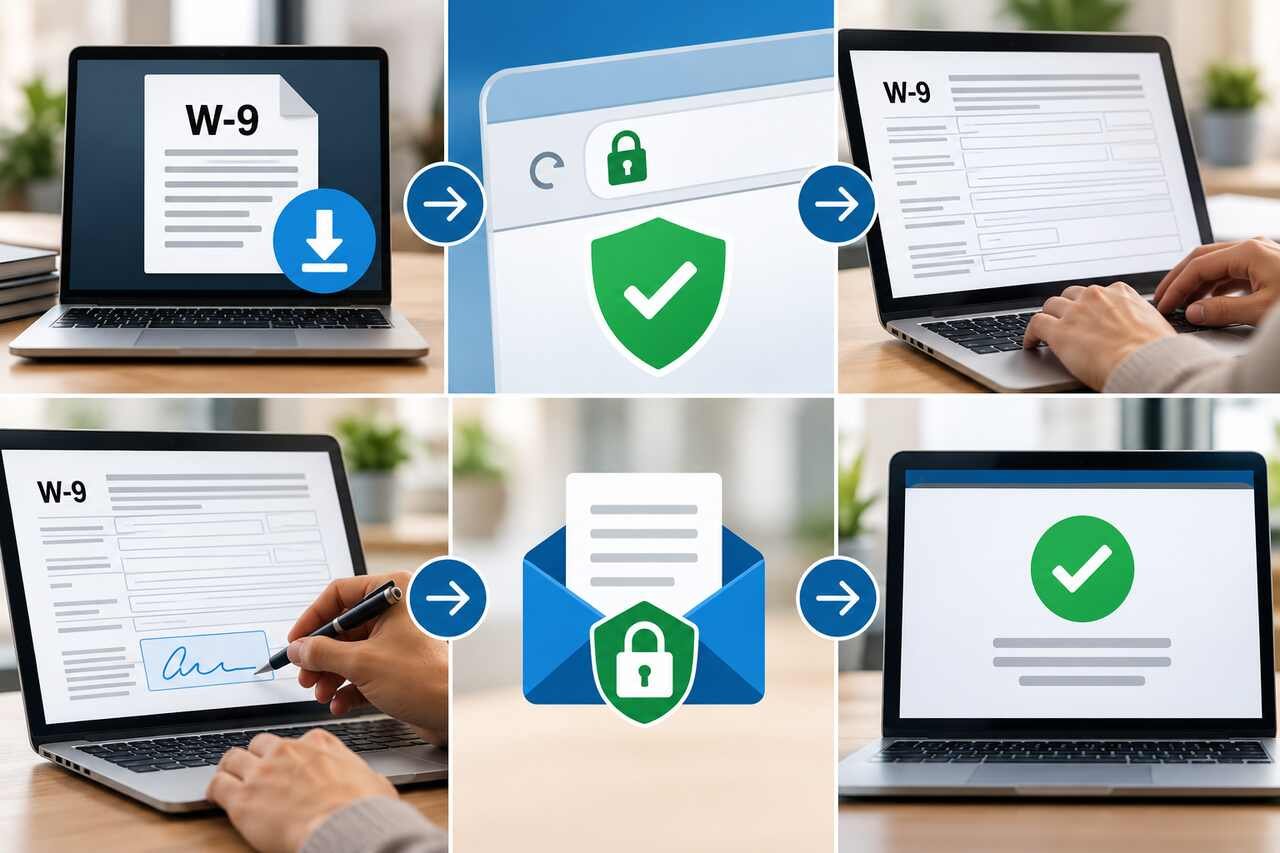
Here’s how the process works:
- Payer Requests W-9: A business or individual who needs to report payments made to you (e.g., for services as an independent contractor, rental income, etc.) will request that you complete a W-9.
- You Complete and Return to Payer: You fill out the W-9 and return it to the requesting business or individual, not the IRS.
- Payer Uses Information for Reporting: The payer uses the information on your W-9 to prepare their annual information returns, such as Form 1099-NEC or Form 1099-MISC. They then send these 1099 forms to both you and the IRS.
- Payer Retains W-9: The requesting business or individual is required to keep your completed W-9 form on file for their records. They do not forward the W-9 itself to the IRS.
The IRS receives the necessary information about your income directly from the payer via the 1099 forms. Your W-9 acts as the foundational document that enables the payer to accurately fulfill their reporting obligations to the IRS.
Therefore, if you receive a request to send your W-9 directly to the IRS via email or an unfamiliar link, it is highly likely a phishing scam. Always send your W-9 only to the legitimate business or individual who has requested it for payment processing and tax reporting purposes.
Conclusion
Navigating the landscape of tax documents, particularly the Form W-9, is an essential aspect of financial responsibility for independent contractors, businesses, and various payees. As we’ve explored, understanding what the W-9 is, who needs to submit it, and how it differs from other forms like the W-4, forms the bedrock of accurate tax compliance.
The ability to complete fillable W-9 forms online offers unparalleled convenience. However, this convenience must always be balanced with an unwavering commitment to security. We’ve highlighted the critical importance of obtaining official forms, meticulously completing each section, and employing secure transmission methods to safeguard your sensitive Taxpayer Identification Number (TIN) and other personal data. Avoiding common digital scams and understanding the IRS’s stance on electronic signatures and direct submissions further empowers us to manage our tax obligations effectively.
By prioritizing accurate reporting, implementing secure workflows, and maintaining robust data protection practices, we can ensure not only our compliance with tax regulations but also the integrity of our financial information. Staying informed and vigilant is our best defense in the ever-evolving digital tax environment.
